


QuickBooks vs Xero: Which is best for sole traders? [2026]
QuickBooks and Xero can both handle the accounting basics for an Australian sole trader. The real question is which one makes the most sense for the way you actually run your business.
Article contents
− +- Introduction
- QuickBooks vs Xero for sole traders at a glance
- QuickBooks vs Xero: What they are and who they're for
- QuickBooks vs Xero features
- QuickBooks vs Xero pricing in Australia
- Which is cheaper: QuickBooks or Xero?
- What do real QuickBooks and Xero users say?
- QuickBooks vs Xero ease of use
- QuickBooks vs Xero pros and cons
- The verdict: QuickBooks or Xero for Australian sole traders?
- What are the alternatives to QuickBooks and Xero in Australia?
- See why Australian sole traders choose Rounded
QuickBooks gives you unlimited invoicing from its cheapest plan and packs plenty of accounting tools into a $33 monthly subscription.
Xero starts at $37, but its cheapest plan caps you at 20 invoices per month. Move past that limit, and the price jumps to $78.
On the other hand, Xero has a huge presence with Australian accountants and bookkeepers. It also includes payroll within its plans and connects with more than 1,000 apps.
So which one should you pick?
This guide compares QuickBooks and Xero on pricing, invoicing, expenses, tax, time tracking, reporting, integrations, user reviews, and their fit for Australian sole traders.
All prices below are in AUD and include GST. Pricing is accurate as of October 2026. Introductory discounts change regularly, so we have used standard subscription prices throughout.
QuickBooks vs Xero for sole traders at a glance
QuickBooks Online | Xero | |
Built specifically for sole traders | No | No |
Starting price | $33 / month | $37 / month |
Entry plan | Simple Start | Ignite |
Unlimited invoices on cheapest plan | Yes | Limited to 20 / month |
Quotes | Yes | Yes |
Bank feeds | Yes | Yes |
Receipt capture | Yes | Yes |
GST tracking | Yes | Yes |
BAS lodgement | Yes | Yes |
Kilometre tracking | Yes | From Grow |
Time tracking | From Essentials | Only on Ultimate |
Multi currency | From Essentials | From the $107 plan |
Payroll | Paid add on | Included, limits depend on plan |
Inventory | From Plus | Available, functionality depends on plan |
Integrations | 300+ | 1,000+ |
Accountant access | Yes | Yes |
Mobile app | Yes | Yes |
Cancellation | Cancel anytime | One month notice |
Best fit | Businesses that need a traditional accounting platform with generous entry plan features | Businesses that work closely with a Xero accountant or expect to hire staff |
QuickBooks vs Xero: What they are and who they're for
QuickBooks and Xero both give you a proper accounting system where you can send invoices, reconcile bank transactions, record expenses, track GST and prepare financial reports.
Neither was built specifically around the needs of Australian sole traders.
What is QuickBooks Online?
QuickBooks Online is Intuit's cloud accounting platform.
Its old QuickBooks Self-Employed product was phased out in Australia, which means sole traders can only choose from the standard QuickBooks Online plans built for small and medium-sized businesses.
Simple Start is the obvious starting point.
It includes unlimited invoices and quotes, bank feeds, receipt capture, GST tracking, and BAS lodgement. You also get kilometre tracking and standard financial reports.
QuickBooks becomes much more capable as you move up the plans. Essentials adds features such as time tracking and multi-currency. Plus adds inventory and project management.
You can read our full breakdown of each plan in our QuickBooks pricing guide.
What is Xero?
Xero is one of Australia's biggest accounting platforms.
It covers invoicing, bank reconciliation, expense management, GST, BAS, payroll and reporting. According to Xero, more than 250,000 accountants and bookkeepers use the platform.
Its reach within the Australian accounting industry is one of the main reasons many businesses choose it.
The downside? Price.
With Xero's current Australian pricing, Ignite costs $37 per month and still limits you to 20 invoices.
Upgrading to their Grow plan removes the invoice cap, but costs $78 per month.
We cover every plan in more detail in our Xero pricing guide.
QuickBooks vs Xero features
The two overlap heavily, so comparing the features directly is more useful than reading 2 enormous feature lists.
Invoicing
QuickBooks has a pretty clear advantage at entry level.
Simple Start costs $33 per month and includes unlimited invoices and quotes.
You can customise invoices, send payment reminders, and match payments against invoices. QuickBooks also supports online payments.
To send more than 20 invoices a month with Xero, you’ll need their Grow plan at $78 per month.
This makes QuickBooks considerably cheaper if invoice volume is your main concern.
Of course, you don’t need either app if your aim is to send professional invoices.
Rounded includes customisable invoicing for Australian sole traders with unlimited quotes and invoices, starting from $23.95 per month. You can also create recurring invoices and accept online payments without moving to a higher accounting plan.
Expense tracking and receipts
Both platforms cover the basics well and can handle expense management for a sole trader.
QuickBooks Simple Start includes expense tracking, receipt capture, bank feeds and transaction categorisation. You can take photos of receipts with the mobile app and match expenses against imported transactions.
Xero also supports bank feeds and document capture.
Grow adds expense and mileage claims for one user. For businesses with employees, you’ll need to look at a higher tier plan to increase the number of people who can claim expenses.
The distinction here is less dramatic than it is with invoicing.
If all you need is to connect your bank and keep records of deductible purchases, however, you may be paying for a much larger accounting system than necessary.
Rounded’s receipt scanner allows you to take photos of your receipts and instantly create expenses.
You can also import expenses straight from the bank feed via Open Banking, create recurring expenses for regular bills, and set a business use percentage where only part of an expense is deductible.
Bank feeds and reconciliation
QuickBooks and Xero both connect to Australian bank accounts and automatically import transactions.
Once transactions arrive, you match or categorise them so your books remain up to date.
QuickBooks includes automated bank feeds on its plans and can match transactions against existing records.
Xero has long made bank reconciliation one of the central parts of its product. Grow also includes automatic reconciliation for transactions where Xero has high confidence in the match.
Both systems work well when the bank connection works properly.
Real user feedback shows why this area deserves some attention before choosing either platform, though.
Several Australian QuickBooks reviewers on ProductReview have reported bank feed disconnections or missing transactions. One recent reviewer in NSW complained that the bank feed "constantly misses transactions."
Xero is not immune to sync complaints either, although its ProductReview rating is considerably higher overall.
GST and BAS
QuickBooks supports GST tracking and electronic BAS lodgement from Simple Start upwards, while Xero supports this on all plans.
But if your main tax question is simply, "How much should I put aside?", neither tool approaches tax in quite the same way as software made specifically for sole traders.
Rounded's sole trader tax calculator continuously estimates your income tax based on the income and expenses recorded in your account.
Medicare levy and PAYG instalments are included in the estimate. Rounded also calculates the figures you need for your BAS.
This gives you a much more obvious answer to one of the most common sole trader questions: how much of the money sitting in my account actually belongs to me?
Time tracking
This is one of the bigger differences between the products.
QuickBooks includes time tracking from Essentials, which costs $60 per month.
You can record time against customers and projects, then use those records when billing.
Xero puts project time tracking much further up its pricing structure.
The project tracking tools sit within Ultimate, which starts at $143 per month for 10 project users. The feature lets you record time and costs against jobs before turning tracked time into invoices.
That said, if time tracking is a main consideration, there are alternatives out there that are more affordable.
Rounded includes time tracking for freelancers and sole traders on all of its plans, starting at half the price of Quickbooks Essentials.
You can track time on desktop or mobile, assign it to a project, then turn billable hours into an invoice. You can also set project budgets and generate client timesheets.
Kilometre tracking
QuickBooks includes kilometre tracking across its standard accounting plans.
Xero includes expense and mileage claims from Grow.
Rounded takes a different route with Rounded Trax, our dedicated vehicle kilometre tracker.
Trax can automatically detect trips when your phone connects to your vehicle through Bluetooth, CarPlay or Android Auto. It records the information required for an ATO logbook and supports both the cents per kilometre method and logbook method.
Connect Trax to Rounded and business kilometres feed into your Rounded tax estimate.
This is particularly useful if driving is a meaningful part of your work and you know you will forget to start a tracker manually.
Rounded Trax is available as a standalone app for $10/month. Those that use Rounded can get 50% off, meaning the monthly cost for both starts at just $29 – well below QuickBooks and Xero.
Payroll
Xero has the advantage if employees are part of your plans.
Ignite includes payroll for one person. Grow includes two people. Higher plans increase the allowance.
QuickBooks uses Employment Hero for Australian payroll, meaning payroll is an add-on rather than part of the regular QuickBooks subscription.
If you expect to hire employees, Xero's payroll setup is worth taking into account.
But if you intend to remain a sole trader without employees, payroll may simply be another feature you never use.
Multi-currency support
QuickBooks includes multi-currency from Essentials at $60 per month.
Xero does not include it in Ignite or Grow. You need its $107 monthly plan before multiple currencies are included.
That price difference can be painful for freelancers who have overseas clients.
If you only need to invoice foreign clients rather than maintain full multi-currency accounting, Rounded supports invoices and quotes in different currencies on all plans.
Reporting
QuickBooks has a strong reporting system, particularly once you move above Simple Start.
The higher plans add budgets and more custom reporting options. Advanced is clearly designed for businesses with much more complicated accounting requirements.
Xero also has capable reporting.
Grow includes live reports and performance dashboards. Its $107 plan adds financial health reporting and budgeting. Ultimate adds KPI analysis and project reporting.
For a sole trader, the more important question is how much reporting you really need.
A profit and loss statement, income report, and expense report may cover almost everything you send your accountant or use to make decisions for your business.
Rounded automatically creates these through our reporting tools using the income and expenses recorded in your account.
Integrations
Xero wins on sheer numbers, with more than 1,000 connected apps.
In comparison, QuickBooks says it connects with more than 300 apps.
Either ecosystem is large enough for many sole traders. The difference becomes more relevant if your accounting system sits at the centre of a larger software setup involving ecommerce, inventory, CRM software or specialised job management tools.
Working with an accountant
This is one of Xero's strongest arguments in Australia, with more than 250,000 accountants and bookkeepers using its platform in 2026.
Ask your accountant if they have a preferred solution they use with their clients, as many will require you to use it (whether it is Xero, Quickbooks, MYOB, Rounded, or another accounting software).
If your accountant works across several solutions, consider how easy it will be to give them access to the information they need.
Like many accounting apps, Xero and Quickbooks let you give your accountant secure access to your data without using your normal user allowance.
QuickBooks vs Xero pricing in Australia
QuickBooks is cheaper at almost every point that matters to a sole trader or small business when compared against Xero, although there are more affordable accounting apps out there.
QuickBooks Online pricing
Plan | Standard monthly price | Users | Most relevant features |
Simple Start | $33 | 1 | Unlimited invoices, expenses, receipts, bank feeds, GST and BAS |
Essentials | $60 | 3 | Adds time tracking, recurring transactions, bills and multi-currency |
Plus | $84 | 5 | Adds inventory, projects and budgeting |
Advanced | $125 | 25 | Adds deeper reporting, permissions and workflow tools |
Most sole traders only need to consider Simple Start, but Essentials may be a better fit if you need recurring transactions, time tracking, supplier bills, or foreign currencies.
Going from $33 to $60 is still a decent jump just to unlock one feature you happen to need.
See our full breakdown of QuickBooks pricing.
Xero pricing
Plan | Standard monthly price | Most relevant features |
Ignite | $37 | 20 invoices, 5 bills, GST, BAS, payroll for 1 person |
Grow | $78 | Unlimited invoices, expenses and mileage for 1 user, payroll for 2 people |
Comprehensive | $107 | Adds multiple currencies, budgeting and more expense users |
Ultimate 10 | $143 | Adds projects, time tracking, KPI reporting and payroll for 10 people |
Ignite can work if you send fewer than 20 invoices every month.
The problem comes when you need one feature that sits outside Ignite:
Send invoice number 21, and you move from $37 to $78.
Need multiple currencies, and you are at $107.
Need Xero Projects for time tracking, and you are at $143.
That pricing structure is difficult to make sense of for a solo service business.
See our full breakdown of Xero pricing.
Which is cheaper: QuickBooks or Xero?
On standard pricing, QuickBooks is cheaper for most common sole trader scenarios.
Only need normal accounting and invoicing? QuickBooks Simple Start costs $33 while Xero Ignite costs $37.
Invoice more than 20 times per month? The comparison changes to $33 for QuickBooks Simple Start against $78 for Xero Grow.
Need time tracking? QuickBooks Essentials is $60. Xero's native project time tracking sits in Ultimate at $143.
Need full multi-currency accounting? QuickBooks starts at $60. Xero starts at $107.
Xero can still make financial sense if its payroll functionality or accountant ecosystem is important to you.
But purely on subscription price and feature access, QuickBooks gives a sole trader more room before forcing an upgrade.
What do real QuickBooks and Xero users say?
Feature tables tell you what software can do.
Reviews tell you what happens after you have used it for six months and something breaks on BAS day.
There is a large body of feedback for both products across Capterra, G2 and Australian ProductReview.
The ratings are worth reading with some context. ProductReview has a heavily Australian audience, while Capterra and G2 draw reviews internationally.
Review platform | QuickBooks Online | Xero |
Capterra | 4.3 from 8,530 reviews | 4.4 from 3,329 reviews |
G2 | 4.0 from around 3,800 reviews | 4.4 from around 1,800 reviews |
ProductReview Australia | 2.3 from 270 reviews | 3.7 from 1,337 reviews |
What QuickBooks users like
QuickBooks gets plenty of praise for accessibility and everyday bookkeeping.
Martin Ralphs, an Australian small business owner who reviewed QuickBooks on ProductReview, said moving from Reckon Hosted was relatively easy and described QuickBooks itself as "pretty easy to use."
A Capterra reviewer praised how easy QuickBooks made invoicing and bill management. Other reviewers repeatedly mention browser access and the ability to produce standard reports quickly.
G2 reviews of QuickBooks show similar themes, with users regularly mentioning access from anywhere and invoice management among its strengths.
What QuickBooks users dislike
Support, pricing and product changes come up regularly in negative feedback.
QuickBooks currently has a 2.3 rating on ProductReview Australia. Several recent reviewers complain about bank feed problems and a number of technical issues.
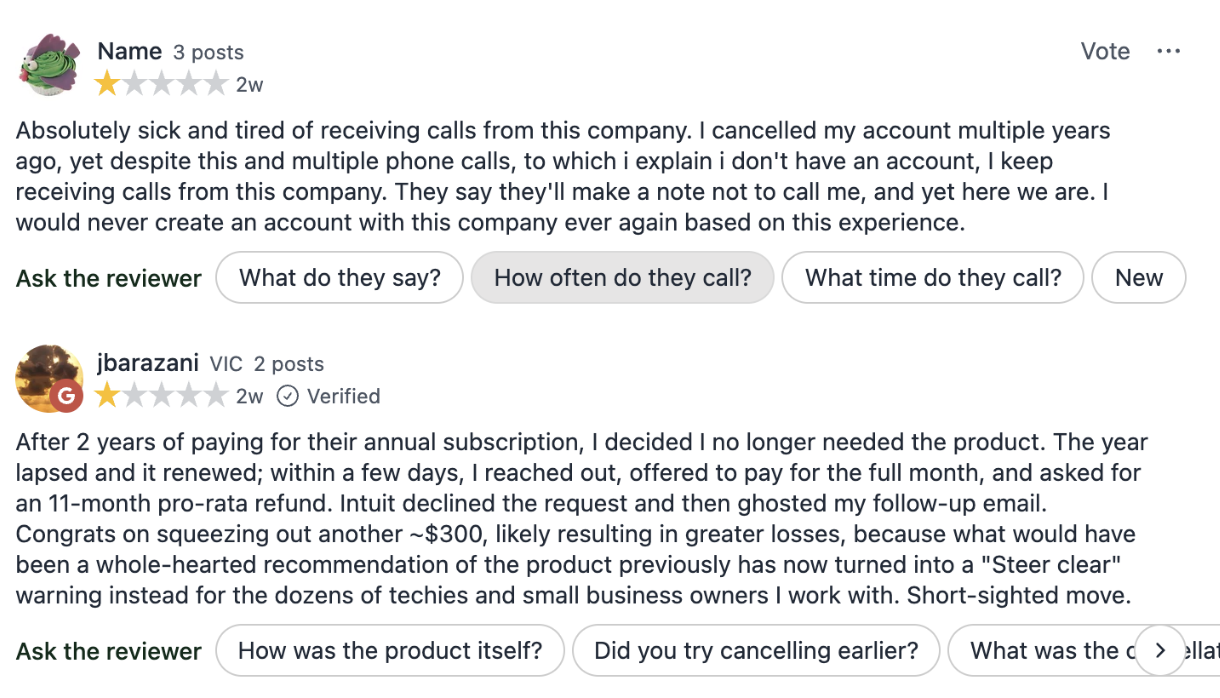
One reviewer reported that the bank feed "constantly misses transactions", while another Australian reviewer complained that recent updates had affected integrations.
Capterra reviews are much more positive overall, but criticisms still include navigation changes and the loss of features some users preferred in the desktop version.
G2 reviewers also raise pricing and customer support as recurring concerns.
What Xero users like
Ease of use and bank reconciliation are repeated themes in Xero reviews.
On ProductReview Australia, an ACT business owner described Xero as "simple, intuitive" and reported a good experience when contacting technical support.
Xero reviews on Capterra regularly praise its invoicing and expense tools, while bank integrations are another common positive.
G2 reviews of Xero show a similar pattern, with ease of use and bank reconciliation appearing frequently in positive feedback.
What Xero users dislike
Price is probably the clearest complaint from Australian users.
A recent ProductReview user described Xero as "a great platform" but said it was "getting too expensive." Another user complained about paying for features they rarely use.
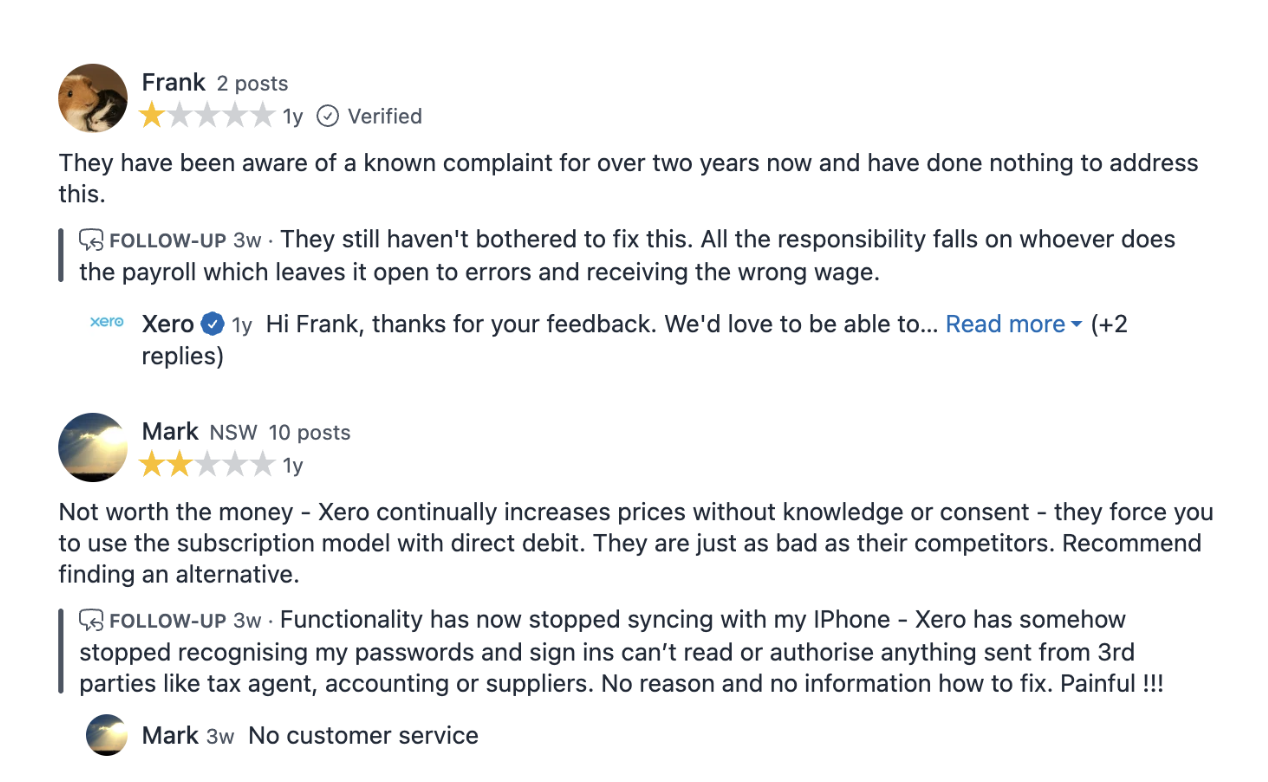
The entry plan invoice limit has also caught some users out.
One G2 reviewer who moved from QuickBooks to Xero said the transition itself went smoothly, but discovering that almost every sale counted towards the 20 invoice limit forced an upgrade to a more expensive plan.
Support attracts mixed feedback too.
Some Australian reviewers report fast callbacks and helpful support staff. Others dislike having to work through Xero's online support process before reaching a person.
Want fast, human support?
Our average response time is 30 seconds during business hours (AEST). Reach out via our in-app chat, and we'll be happy to help.
See why sole traders love RoundedQuickBooks vs Xero ease of use
Both are full accounting systems. Neither feels like an app you can open and figure out in 5 minutes.
QuickBooks does a reasonable job of walking new users through basic jobs such as connecting a bank and creating an invoice.
Capterra reviewers currently rate QuickBooks highly for ease of use, although interface changes still attract criticism from some long-term users.
Xero's Capterra reviews are slightly stronger on ease of use overall.
Anecdotal feedback also tends to favour Xero once users become familiar with it.
In one discussion among Australian sole traders and accountants, an accountant said around 90% of their small business clients used Xero. They said most were happy with the functionality, while price was the most common complaint.
The same commenter said some QuickBooks clients found it difficult to use, although they appreciated the lower price and phone support.
While this is only one person's experience, it lines up with the broader review patterns.
QuickBooks vs Xero pros and cons
QuickBooks pros and cons
Pros
Unlimited invoicing on the $33 Simple Start plan
Receipt capture included at entry level
Kilometre tracking at entry level
Multi-currency from the $60 Essentials plan
Time tracking from Essentials
Accountant access does not use normal user allowance
30-day free trial available
Cons
Recurring transactions require Essentials
Payroll is a separate product
Inventory requires Plus plan
Smaller presence among Australian accountants than Xero
Australian ProductReview feedback contains frequent complaints about support and bank feed reliability
Prices rise quickly once you move beyond Simple Start
Xero pros and cons
Pros
Widely used by Australian accountants and bookkeepers
+1,000 integrations available
Payroll included
Unlimited normal users
Strong reporting as you move up the plans
Many users find it easier to use (though does have a learning curve)
Cons
Unlimited invoicing costs +$78 per month
Receipt capture and mileage claims not included at entry level
Invoicing in other currencies requires Ultimate ($107 per month)
Native project time tracking requires Ultimate
One month notice required for cancellation
Frequent price rises mean you will likely pay more in future
Many features on the higher plans are unnecessary for a typical sole trader
The verdict: QuickBooks or Xero for Australian sole traders?
QuickBooks and Xero are both capable accounting platforms.
The better choice depends heavily on what happens around your accounting.
When QuickBooks makes sense
QuickBooks is worth considering if:
You need unlimited invoices but don’t want to pay $78 per month for Xero Grow.
You work with overseas clients and need full multi-currency accounting.
You bill by time and are comfortable paying for Essentials.
Your accountant already works in QuickBooks.
You sell physical products and need inventory tools.
You expect to need more detailed accounting reports later.
Simple Start is particularly competitive against Xero Ignite because it gives you unlimited invoicing and receipt capture without the same invoice restriction.
When Xero makes sense
Xero may fit better if:
Your accountant or bookkeeper already uses Xero.
You have employees or expect to hire in the near future.
You need payroll inside your accounting platform.
You rely heavily on apps that already connect with Xero.
You expect your business structure / accounting requirements to get more complicated.
Paying more for access to the Xero ecosystem is worth it to you.
When neither makes much sense
A typical sole trader or freelancer often only needs to:
Send invoices and quotes.
Record expenses and receipts.
Reconcile bank transactions.
Know how much tax to put aside.
Prepare BAS.
Track time if they bill hourly or want to understand where their week is spent.
Keep records for tax.
If that describes your business, paying for a much larger platform may be unnecessary.
What are the alternatives to QuickBooks and Xero in Australia?
There are plenty of alternatives.
MYOB has a strong Australian presence and several products aimed at smaller businesses. Here’s a detailed breakdown of MYOB pricing and how MYOB compares to Xero.
Hnry combines accounting with a tax service and takes its fee as a percentage of every invoice. See how that model compares with Xero in our Hnry vs Xero comparison.
Zoho Books is another lower-cost accounting system, particularly if you already use other Zoho software. We have also compared Zoho Books and QuickBooks in detail.
And then there’s Rounded.
How does Rounded compare to QuickBooks and Xero?
Rounded | QuickBooks | Xero | |
Built specifically for Australian sole traders | Yes | No | No |
Unlimited invoices | Yes | Yes | From Grow |
Receipt capture | Yes | Yes | Via Hubdoc, via Xero app on Grow and up |
Bank feeds | Yes | Yes | Yes |
Recurring transactions | Yes | From Essentials | Yes |
Tax estimate on dashboard | Yes | No | No |
GST tracking | Yes | Yes | Yes |
BAS preparation | Yes | Yes | Yes |
Time tracking | All plans | From Essentials | Only on Ultimate |
Foreign currency invoices | Yes | Full multi-currency from Essentials | Full multi-currency from $107 plan |
Accountant access | Yes | Yes | Yes |
Automatic kilometre tracking | Via Trax app | Yes | No (Manual tracking from Grow) |
Payroll | No | Add on | Yes |
Inventory | No | From Plus | Yes |
Rounded will not replace Xero or QuickBooks for businesses that:
Have employees
Need accrual accounting or have more complicated bookkeeping requirements
But most sole traders don’t.
If that’s the case for your business, Rounded may be worth considering as an alternative.
Simple to use for sole traders
Rounded was purpose-built for self-employed Aussies who need a fast way to tackle the financial admin that comes with running a business.
Hop in, shoot off a quote or scan a receipt in seconds, see your real-time income a position, then hop back out.
You don't need to be a bookkeeping expert to use it, and you don't need to sacrifice your nights or weekends to stay on top of things.
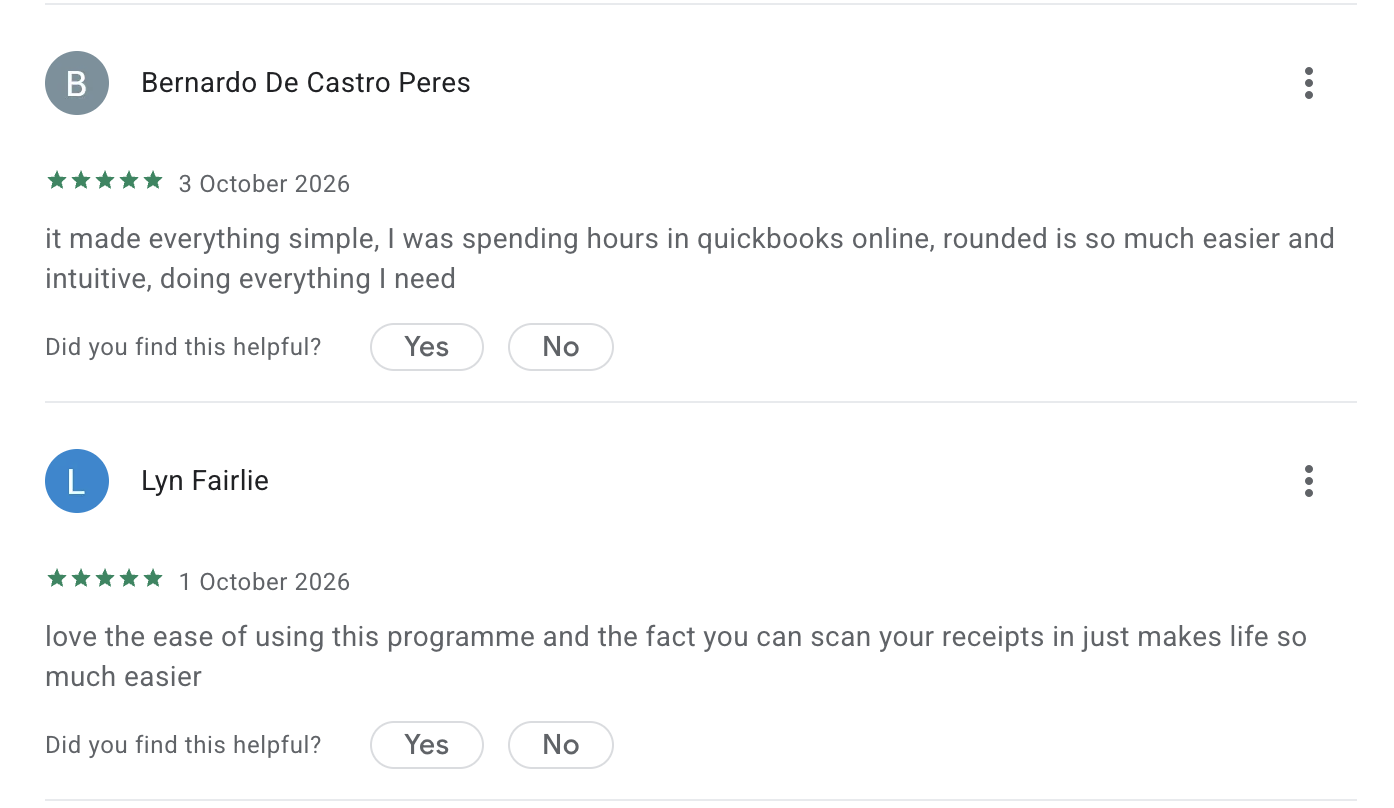
Create and send invoices without worrying about monthly caps
Rounded's invoicing tools let you send unlimited invoices.
You can also:
Customise your template designs
Create saved line items to cut time spent on quotes and invoices
Set up recurring invoices
Automatically chase overdue payments.
Get your business expenses sorted in minutes
You can scan a receipt to turn it into an expense instantly, saving you hours of manual entry.
Rounded users can also set up bank feeds to automatically import income and expenses. The expense tracker autofills based on how you have categorised previous transactions. You can then attach your receipts and keep personal transactions separate from business spending.
See your estimated tax throughout the year
The Australian sole trader tax calculator uses the income and expense information already inside Rounded to estimate your tax position.
Instead of pulling apart accounting reports to work out what you might owe, you can see an updated estimate on your dashboard.
Lodge your BAS and wrap up tax time without the stress
When BAS or tax season rolls around, Rounded automatically compiles your numbers so lodgement takes minutes.
Rounded calculates your GST collected and GST paid as you go, lining up the exact numbers you need to copy straight into your myGov portal.
You can also give your accountant free, direct access, or export ATO-ready reports.
Track billable hours without another subscription
Rounded's time tracker is included on every plan.
Start the timer when you begin working. Stop it when you're done.
When it’s time to invoice, add the recorded hours directly to the client's bill.
For sole traders that depend on a time tracker, Rounded is the most affordable option at over half the price of Quickbooks and 6x less than Xero.
Automatically record business kilometres with Rounded Trax
If you drive for work, you can connect Rounded with Trax.
Trax automatically records trips and can produce an ATO-compliant logbook.
Connect it to Rounded, and your vehicle deductions feed into your tax estimate as you record business travel.
See why Australian sole traders choose Rounded
Try Rounded free for 14 days and see if it could be the right fit for your business. No credit card needed.
Contents
Join newsletter
ABOUT ROUNDED
Invoicing and accounting software for sole traders. Get paid faster and relax at tax time.